Agent Builder
Agent run history Preview
You can view the agent run history from Agentic AI tab under Agent run history. You can filter the listed results by time range, Agent name, and owner.
You can view the agent run history from Agentic AI tab under Agent run history. You can filter the listed results by time range, Agent name, and owner.
CAUTION: You must first create an index for this run history page to function and populate.
Complete these steps to create an index:
- From the Splunk Cloud platform top navigation bar choose Settings and select Indexes from the drop-down menu.
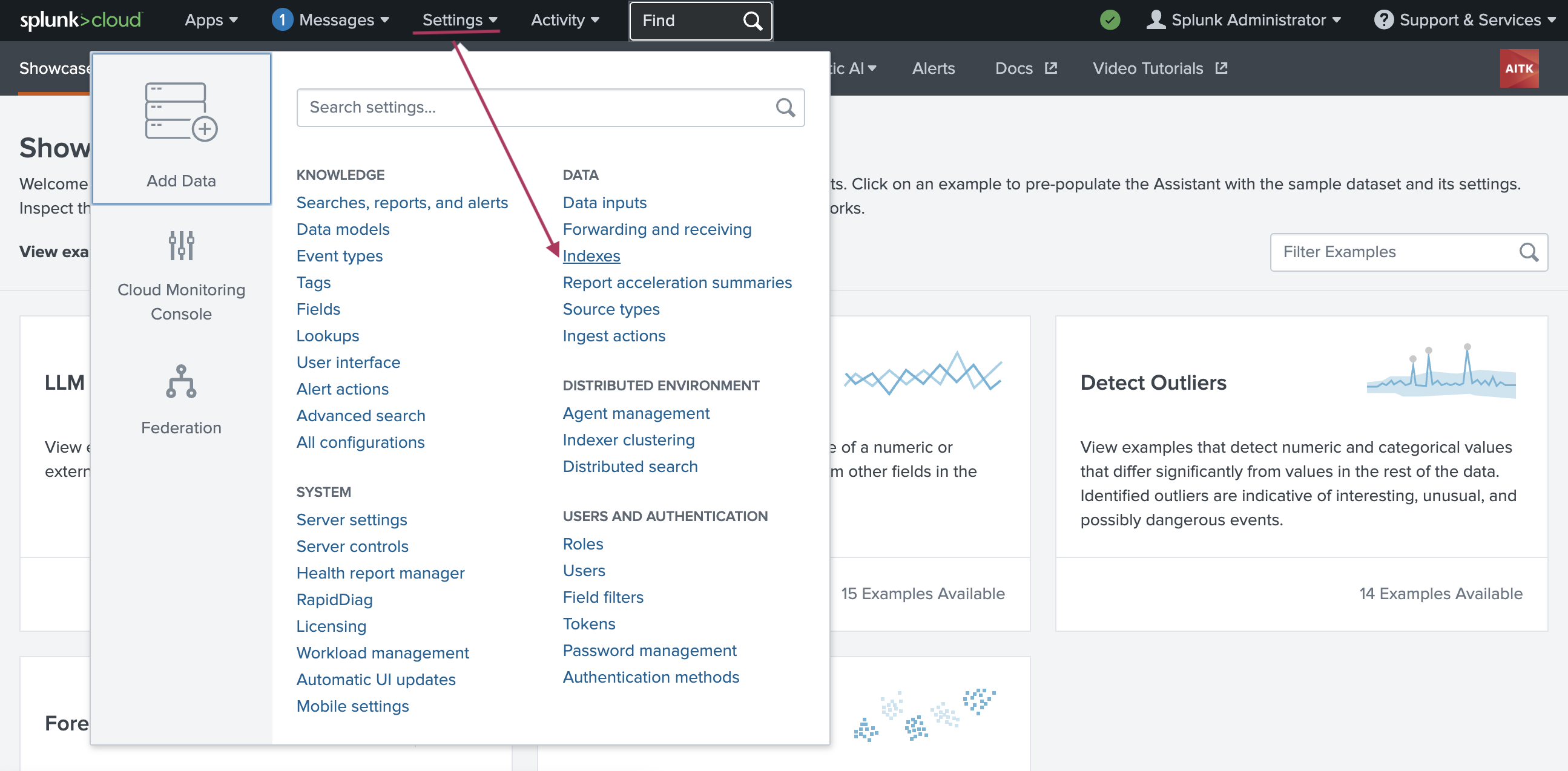
-
From the resulting Indexes page, select New Index.
-
On the Add New Index modal window put the name of index as
ai_agent_run_history_index. -
For Index data type choose Events.
-
Add Max raw data size and Searchable retention (days):
-
For Max raw data size enter 100MB.
-
For Searchable retention (days) choose 30 days.
-
Select Save.
Source: Portal-authored guide.